
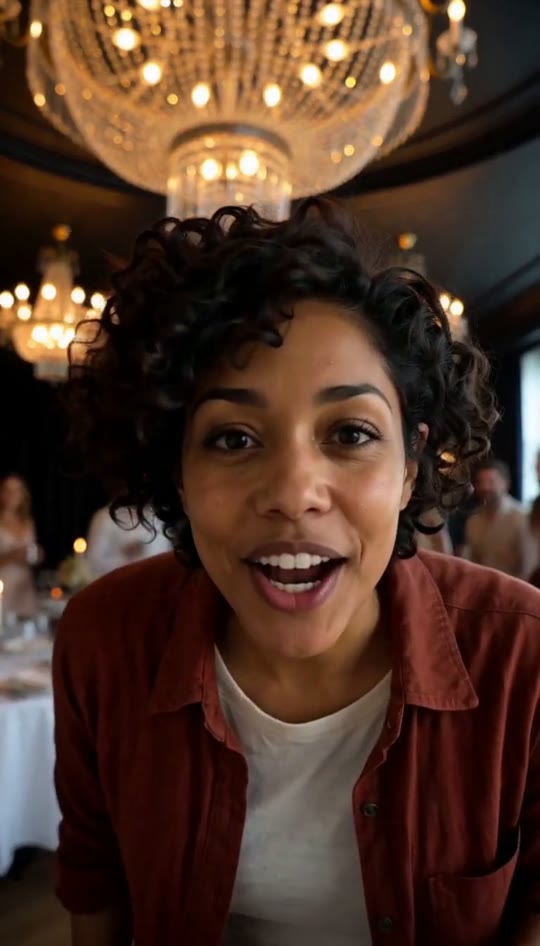
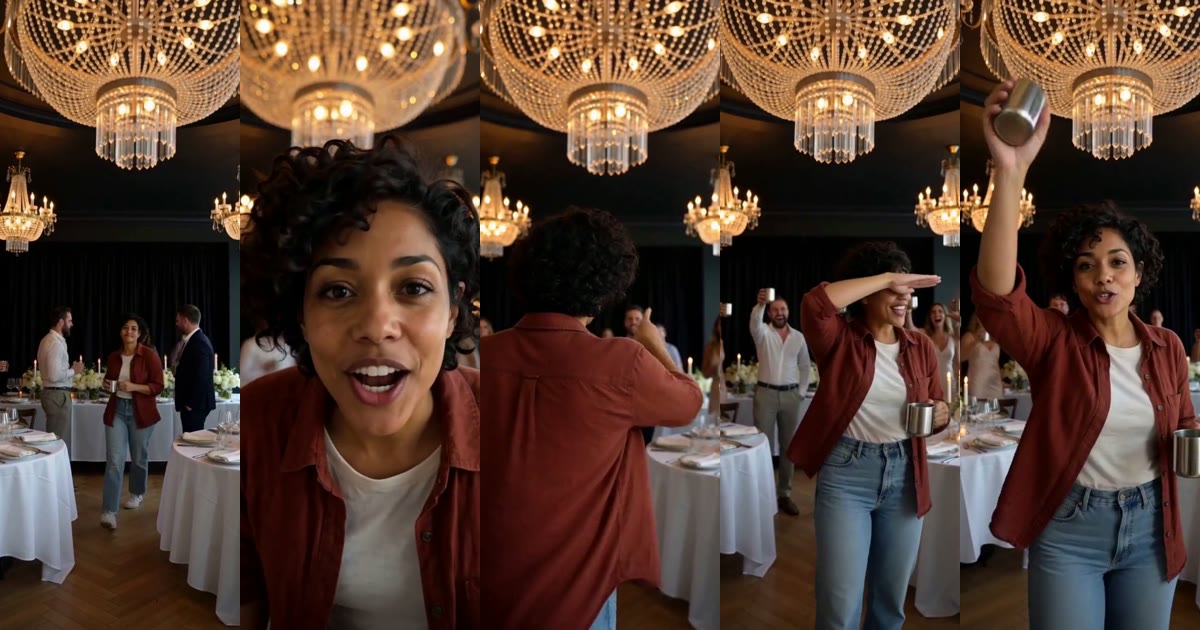
Someone walks out of a crowded party under crystal chandeliers, lifts a silver cup right up to the camera, points at their friends, then holds a flat hand over their eyes and scans the room as if someone is missing. That is the Burning Bridges AI trend. Here is where it came from, what happens in those 15 seconds, which photo to pick and how to put yourself in the lead.
Make your Burning Bridges AI video →
Where the Burning Bridges AI trend comes from
The song Burning Bridges came out in May 2026, and its music video has a party scene in a dim dining room lit by chandeliers: a host with a silver cup leans into a handheld camera while the room cheers around him. In early October 2026, people on X, TikTok and Instagram started using AI video tools to put someone else in the host's place: themselves, their friends, their pets, sports stars and TV characters. Within a few days the AI recasts had their own hashtag, and "burning bridges ai" became a search of its own.
The recasts keep the same few beats: the cup to the lens, the point at the crew and the hand held over the eyes like a visor, the "where is everyone?" look. This site makes that party clip with you as the host. It does not use the music video itself: no footage, no artist and no song. The room, the friends and the moves are generated from a written description, and you are the only real person in your video.
What happens in the 15 seconds
Every video follows the same take, filmed like a phone video at a party:
- 0–3 s, the walk-in. You step out of the crowd toward the camera, nodding to the beat, the silver cup in your hand.
- 3–6 s, the cup to the lens. A close-up: you lift the cup right up to the camera and point at it with the other hand.
- 6–10 s, the friends. You turn and point at the friends behind you; they cheer, laugh and point back with their cups.
- 10–13 s, the hand over the eyes. One flat hand over your eyes, scanning the room left and right, and a few friends copy the move.
- 13–15 s, the finish. Back to the lens, the cup goes up high and you point straight into the camera.
The video is vertical (9:16), 15 seconds long, and has party ambience only: chatter, cheering and clinking glasses. The room, the guests and the camera moves change a little from one video to the next.
Which photo works best
The face, hairstyle and clothes in your video all come from one photo, so the photo matters more than anything else:
- One person. A group photo confuses the generator. Two friends who both want to lead the party should make one video each.
- A clear, well-lit face. No sunglasses, no heavy filters, no motion blur. The sharper the face, the more the lead looks like you in the close-up.
- Waist-up is the sweet spot. The camera stays close, from the waist up, so a waist-up photo shows exactly what the video needs: your face, your build and your top.
- Clothes for a night out. You wear what you wear in the photo. A jacket, a nice shirt or a dress fits the chandelier room; a hoodie works too and looks funnier.
- JPG, PNG or WebP, up to 10 MB.
What one photo turns into
For the example on the home page, a waist-up photo of a woman in a rust shirt and jeans went in. In the video she walks out of the crowd, lifts the silver cup to the lens, points at her friends, scans the room with a hand over her eyes and raises the cup high at the end. Her face, curls, shirt and jeans stay in every shot.
How to make your Burning Bridges AI video
- Open the Burning Bridges AI generator and upload your photo. You can pick it before you sign in; this browser keeps it for 30 minutes.
- Confirm that you may use the photo and press the button. Each video is 1,250 platform credits, which is $5 as a one-time purchase.
- Wait a few minutes. The video appears on the page and is saved in My videos, where you can download the MP4.
If a generation fails, your credits come back. If the face or a move is off, run it again or use a sharper photo.
Adding the trending sound
Your video has no music, so you add the sound when you post:
- TikTok: tap Add sound, search for the trend's sound, start it from 0 seconds and turn the original audio down a little so the party noise stays underneath.
- Instagram Reels: add the audio from the trend's page in the Reels editor and line it up at the start.
- YouTube Shorts: add the sound in the Shorts editor before you publish.
Starting the sound at the first second lines the cup to the lens and the point up with the beat.
Posting tips
- Post it as yourself. The trend is about who is leading the party, so a caption that names the occasion ("my birthday", "Friday at the office") works better than describing the video.
- Make one for a friend. With their OK, put the friend who runs every night out in the lead and tag them.
- Pair two videos. Post yours next to a friend's and let people vote on the better hand-over-the-eyes scan.